
You do this as you would when creating any WordPress page that contains a Gravity Forms form. For example, if you’re using the block editor, you’d add a Gravity Forms block, select your form, adjust its settings as required in the controls on the right of the screen, and then publish the page:
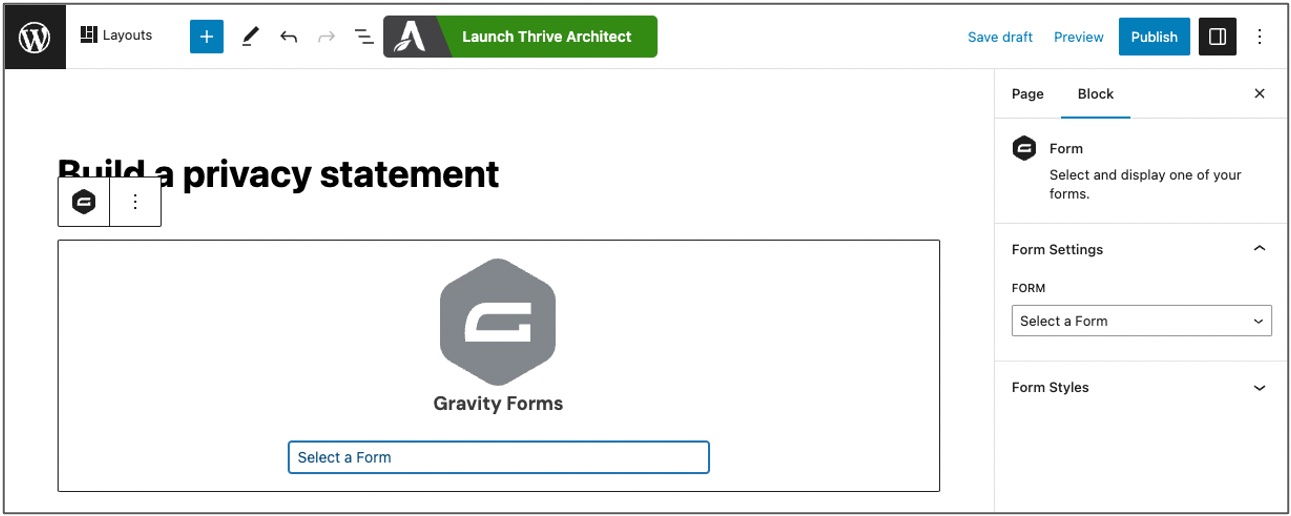
Now, when anyone who is able to access that page goes to the page, they’ll be able to fill out your form and obtain the merged document. Voila!
(If you want to restrict access to the page so as to limit who can use your form to build documents, you can password protect it using standard WordPress page settings or you can use a membership or restricted content plugin so only registered users can access it and other content. Alternatively, you could allow access to the page but select the ‘Require user to be logged in’ setting for your form (which is one of the standard Gravity Forms options in the ‘Form Settings’ for your form).)
Depending on your theme and how you’ve set up your confirmation page, a person who completes your form will see something like this:
